Serve walk-ins faster
Open a register, search the catalog, scan items, and capture payment without forcing staff through a shopper-style flow.
A POS app for tenant stores that helps staff sell faster in-store, manage checkout smoothly, and keep sales synced with Cartaro. We now support Android, desktop apps for macOS and Windows, and iOS as an add-on for an additional charge.
Built for
Counters & branches
Checkout
Cash, card & split
Support
Camera scan & receipts
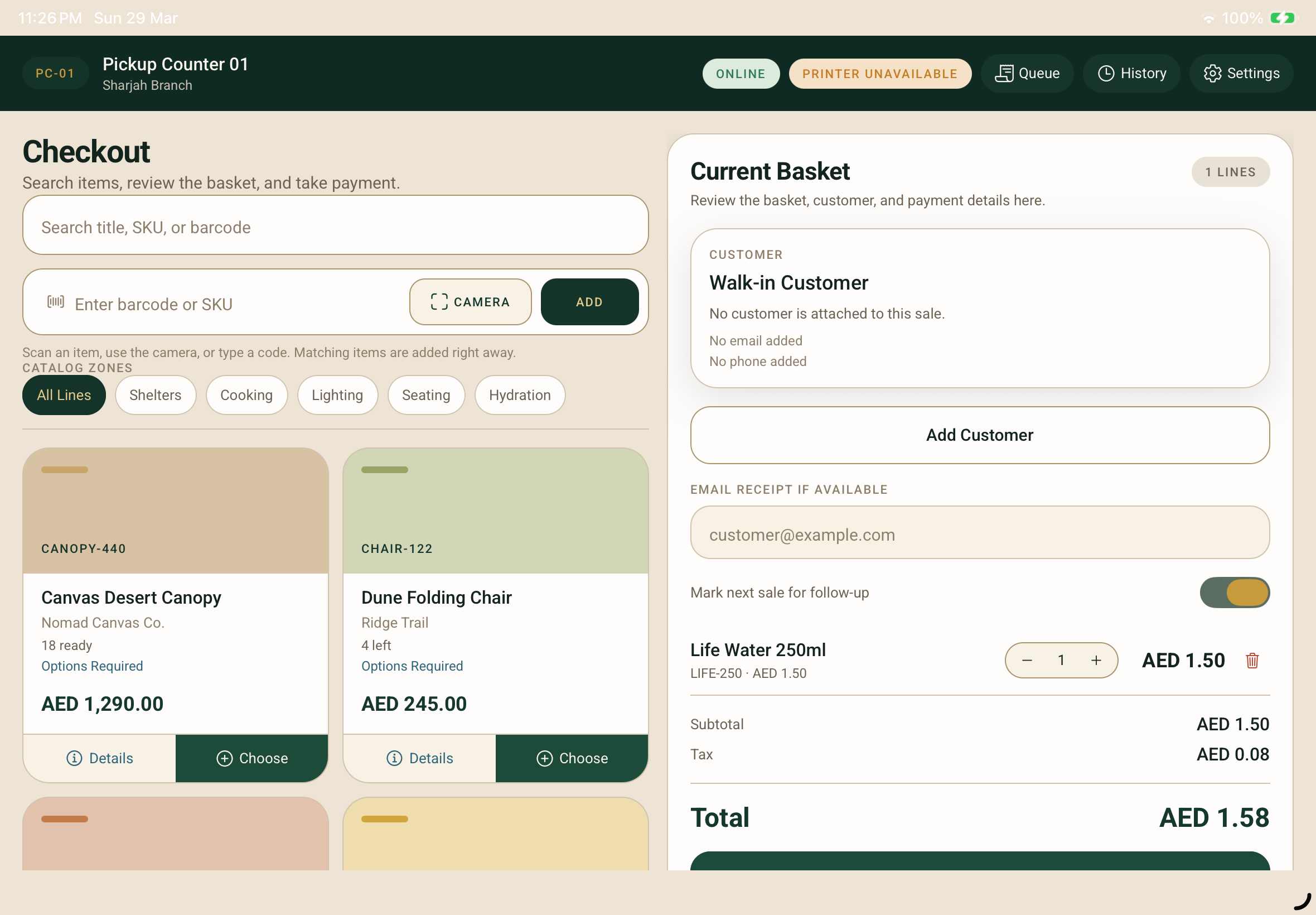
Open a register, search the catalog, scan items, and capture payment without forcing staff through a shopper-style flow.
Staff can open product detail views for description, options, brand, category, SKU, and specifications while staying inside the sale.
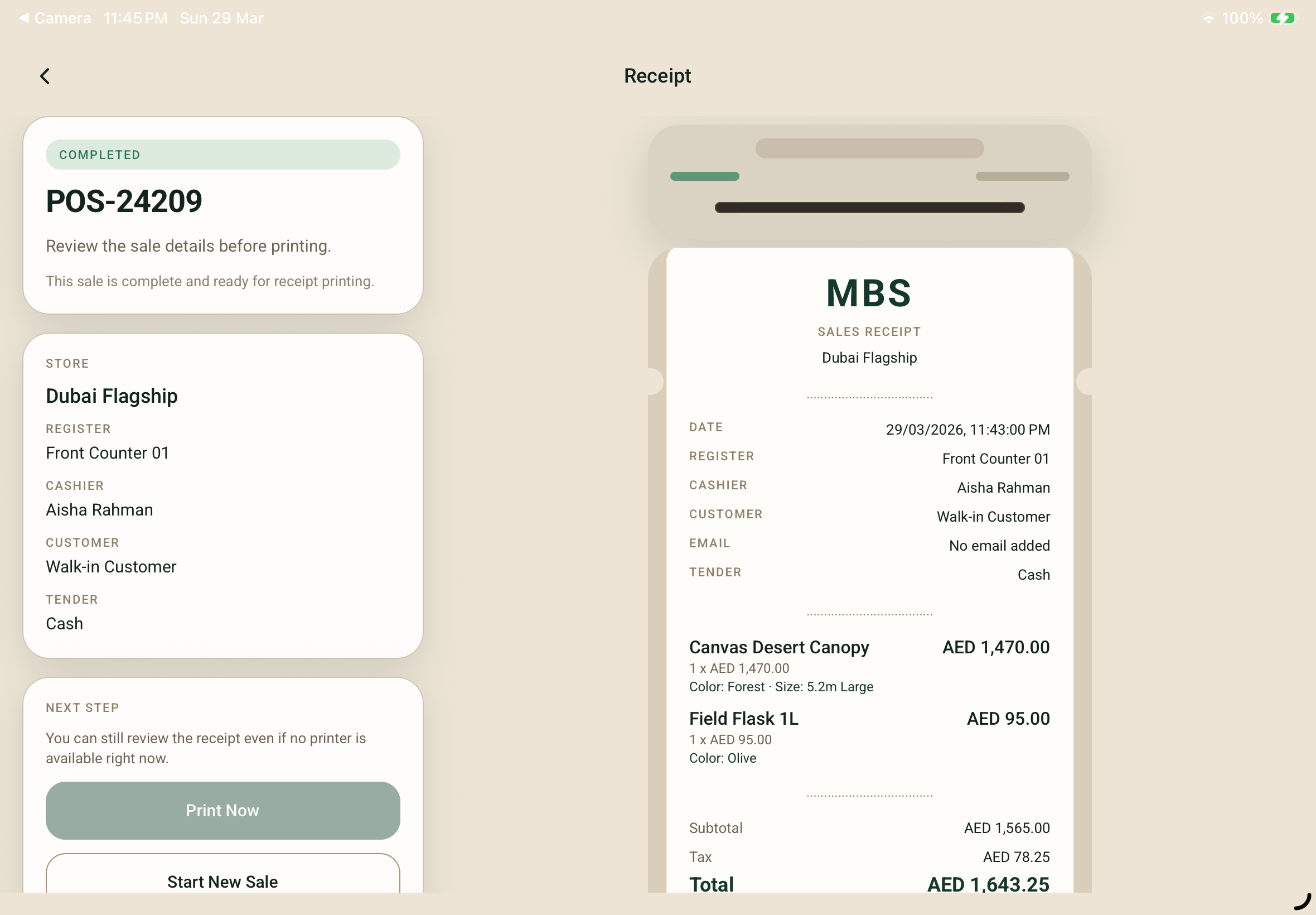
Capture tender, preview the receipt, and keep printer readiness visible so the cashier always knows what happens next.
Who it is for
The POS extension is designed for businesses that need a fast, connected in-store checkout without bolting on a separate system.
Walk-in stores that need a fast checkout counter with product search, barcode scanning, and receipt printing.
Multi-location businesses where each branch needs its own register and session context tied to the right location.
Front-counter employees who need a simple, focused interface that lets them serve the next customer without training overhead.
Operations leads who need branch-level control, customer capture, sync visibility, and register-based usage tracking.
Businesses that sell both online and in-store and want their POS sales to stay connected with their Cartaro tenant workspace.
Pain points
Every feature traces back to a real store-floor frustration. These are the daily problems the extension removes.
Staff waste time navigating shopper-style apps not designed for counter speed. The POS extension gives them a cashier-first layout with fast item search and tender capture.
When a customer asks about size, specs, or availability, staff leave the sale to look it up. The POS keeps a product detail view inside the selling flow.
Without camera scanning and SKU-first search, adding items is slow. The extension supports name, SKU, and camera barcode entry in the same workspace.
Real sales involve cash plus card, splits between people, and terminal recording. The POS supports all of these in a clear tender capture flow.
Attaching or creating a customer record during a walk-in sale should not require switching to a separate admin. The POS handles it inline.
Store floors lose connectivity. The POS is designed to continue working during weak connections and queue sales for sync when the network returns.
Feature tour
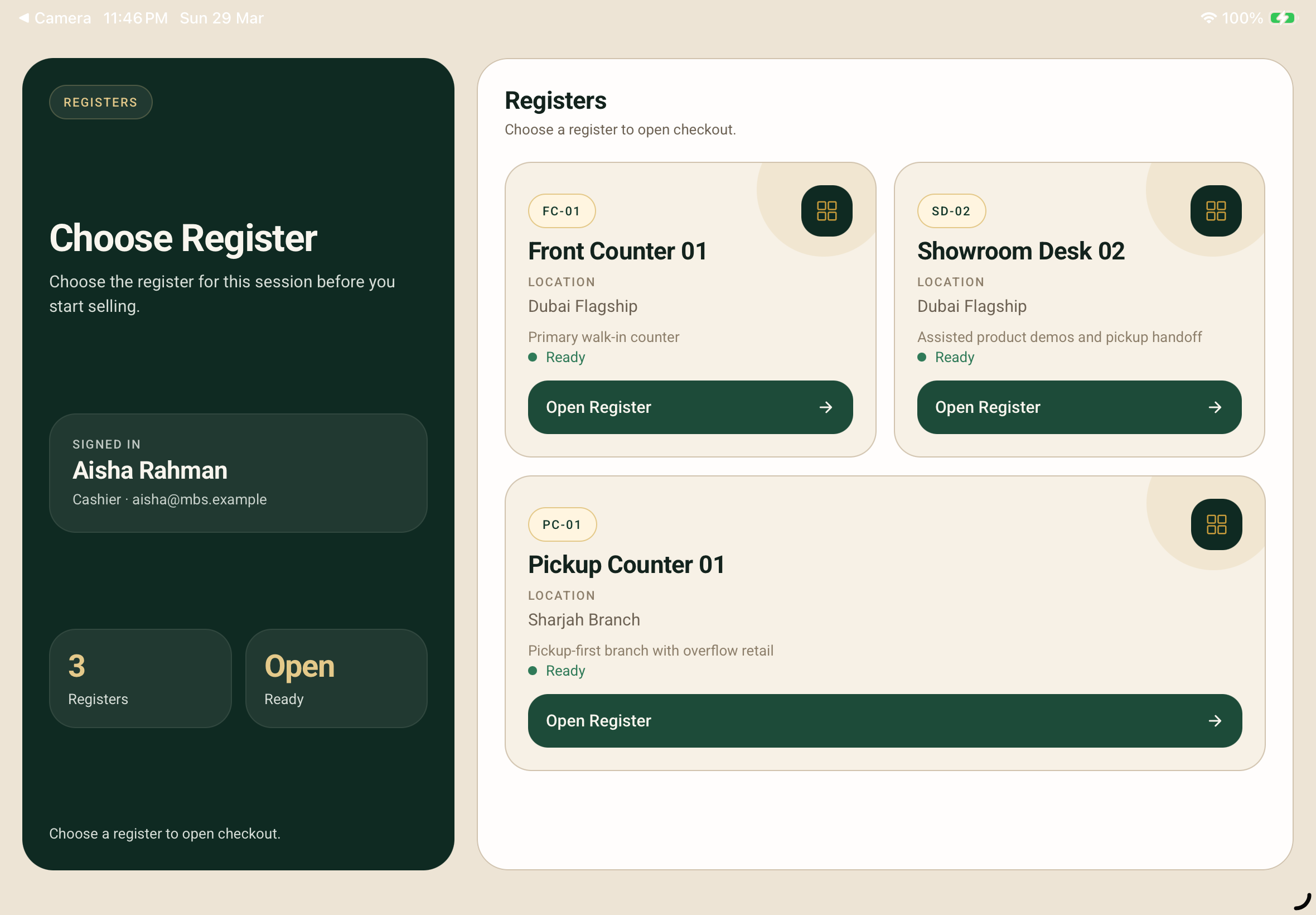
Staff start by choosing the exact register and branch for the session. This anchors the sale in the correct operational context from the first tap.
The main sale screen keeps catalog search on one side and the active basket on the other. Staff can stay in flow while adding products, attaching customers, or collecting an email for the receipt.
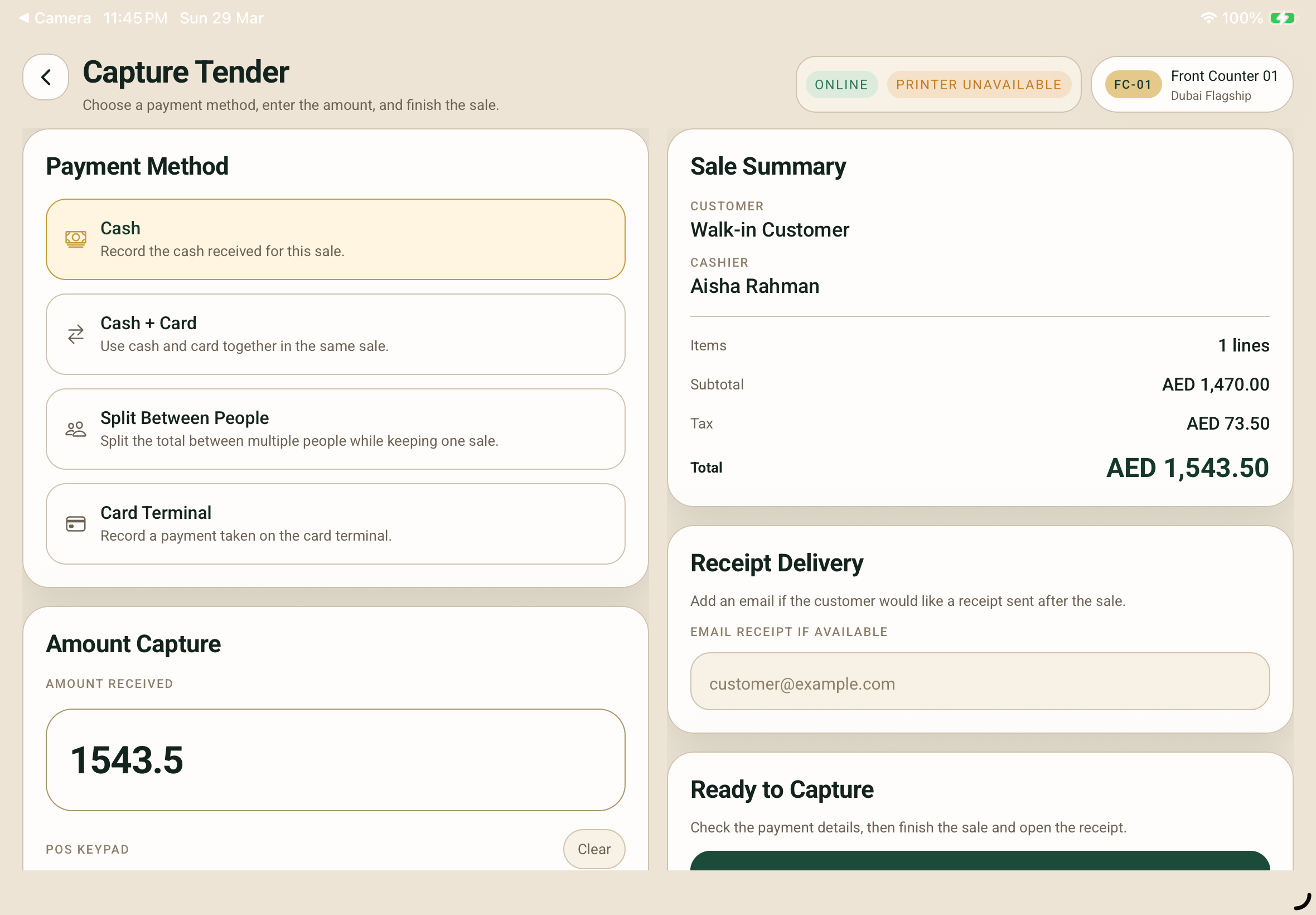
Cashiers can take cash, cash plus card, split the total between multiple people, or record a card terminal payment. The summary stays visible while the cashier captures the amount.
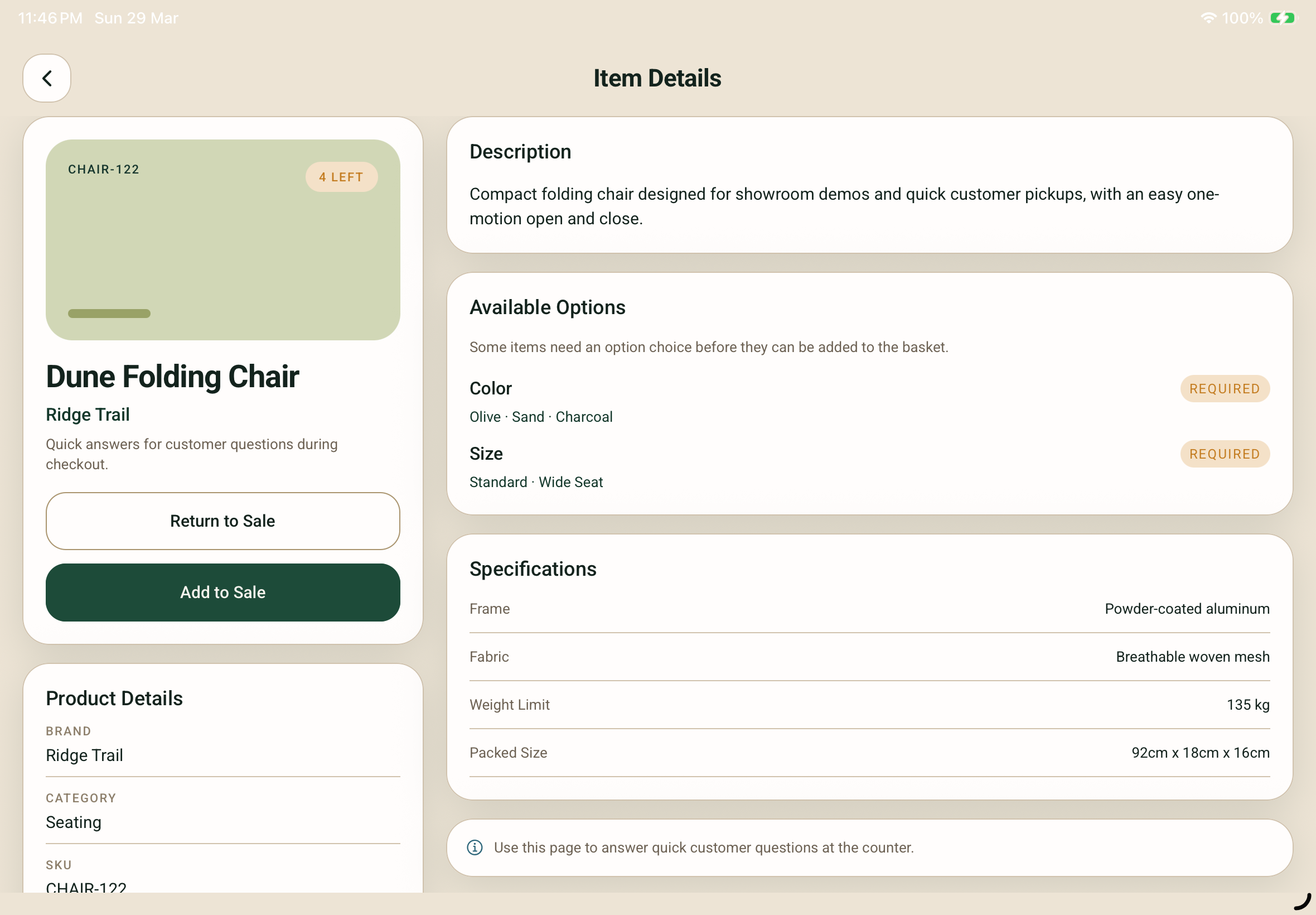
When a customer asks about size, brand, specifications, SKU, or available options, staff can open the product detail view and answer confidently before adding the item to the sale.
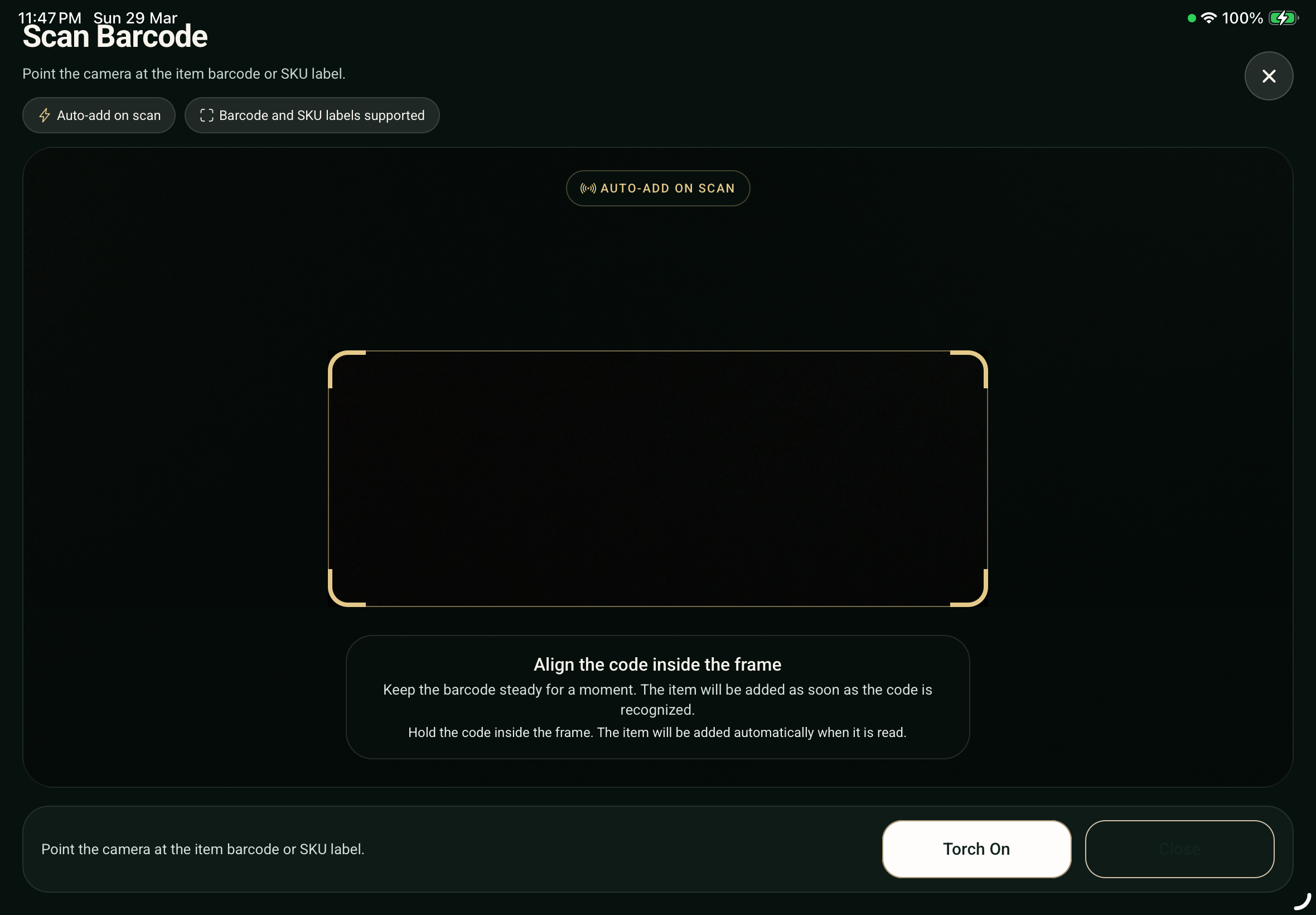
The extension supports camera-based barcode scanning with auto-add behavior, making it useful for counters that need speed even without a dedicated hardware scanner.
After payment capture, the cashier lands on a dedicated receipt screen that makes printing feel like the final step of the sale rather than an afterthought.
Feature coverage
The extension focuses on practical retail operations. It helps tenant teams sell quickly, collect the right checkout details, and support the customer confidently at the counter.
Checkout
Guest-first sales, customer attach, and email receipt capture.
Payments
Cash, mixed tenders, people split, and card-terminal recording.
Catalog support
Search, SKU lookup, barcode scan, options, and product specification reference.
Operations
Register context, queue visibility, printer state, and staff-ready selling flow.
Checkout experience
Every step is designed to keep the cashier moving forward without unnecessary stops or context switches.
The cashier signs into the POS with their staff account.
Select the branch and register for this selling session.
Search by name, scan a barcode, or enter a SKU. Items land in the basket immediately.
Optionally attach an existing customer or create a new one. Walk-in sales continue without this step.
Choose cash, card, split tender, or split between people. Enter the amount and confirm.
Preview the receipt, print it, or capture an email for digital delivery.
Start a new sale immediately. The register stays open and ready.
For staff
The POS is built for daily counter use by cashiers, not for occasional admin visits.
For managers
Store managers get visibility and structure without needing to intervene in every sale.
Offline and reliability
Store floors deal with weak wifi, crowded networks, and connectivity drops. The POS handles these without losing sales.
The app does not block the cashier when the connection dips. Sales continue and queue for sync.
Completed sales are queued locally and synced to Cartaro when the network returns. No manual intervention needed.
Connection state and sync indicators are always visible so staff know exactly where things stand.
Store teams can trigger a manual catalog resync when needed, useful after inventory updates or product changes.
Hardware support
What makes it different
The POS extension is purpose-built for Cartaro tenants who need in-store selling connected to the rest of their commerce operations.
Frequently asked questions
Yes. The POS continues working during weak connectivity. Sales queue locally and sync to Cartaro when the network returns.
Yes. Each session starts with branch and register selection. Staff choose the correct location before selling.
Yes. Staff can attach an existing customer or create a new one during the sale. Walk-in sales continue without a customer record.
Yes. The POS supports cash, card, cash plus card, and splitting the total between multiple people.
Yes. The receipt screen shows a preview before printing. Email capture is also available for digital delivery.
The POS is designed around fast counter use, and we now support Android and desktop applications on macOS and Windows as well. iOS is also available as an add-on for an additional charge.
Get started
Enable the Retail POS extension for your tenant and start selling in-store with a checkout experience that keeps staff fast and operations connected.